Hey there, if you’ve been hanging around the dental or medical device space lately, you’ve definitely heard the hype around digital scanning. No more messy goop impressions, no waiting days for lab-made models, and way more accurate plans for everything from crowns to full-mouth restorations. But let’s cut to the chase—one question I get all the time as a Scanbody supplier is: “Can this thing scan multiple body parts at once?” I get it, right? If you’re a busy dentist, surgeon, or lab tech, you don’t have time to waste jumping back and forth between scanning every single area you need. So let’s break this down like we’re chatting over coffee, no jargon, no fluff, just the real deal. Scanbody

First, let’s make sure we’re on the same page about what Scanbody even is, because there’s a lot of confused people out there (and I’ve fielded every single wrong definition under the sun). A Scanbody—sometimes called an abutment scan post, if you want to get fancy—is that little metal (usually titanium) peg that screws onto a dental implant or bone-level anchor before you scan. It’s basically a reference marker that lets your 3D scanner line up the virtual scan of your gum, teeth, or bone with the actual physical implant later on. Without it, your digital model is just a blobby mess with no way to connect it to the final restoration. Got it? Good. Now, the big question: multiple body parts? Wait, hold on—most people asking this aren’t talking about random body parts like an ankle and a molar (though I guess that’d be a wild scenario). Usually, they mean multiple intraoral areas: like a full arch plus a single adjacent tooth, or a quadrant that’s missing two implants, or even a patient who’s getting a crown on the front tooth and a bridge on the side, all in one sitting. That’s what we’re actually discussing here.
So, can you scan multiple areas with a single Scanbody? Let’s get into the science, but keep it simple. 3D scanners work by projecting a pattern of light (usually blue or white light, for accuracy) onto an object, then taking a bunch of photos to calculate depth and shape. For Scanbody scanning, you need that tiny, unique geometric shape on the top of the Scanbody—its “identification code,” basically—to be crisp and clear in the scan. If that code is blurry or cut off, the scanner can’t register it, and your whole digital file is useless. Now, here’s the key: traditional Scanbodies are designed to be placed one per implant in the area you’re working on. If you have two implants, you need two Scanbodies, right? But wait—what if those two implants are in the same quadrant, right next to each other? Can you scan both Scanbodies at the same time, along with the surrounding teeth and gum? The short answer is: yes, absolutely, but only if you set it up right.
I’ve watched so many new dentists skip steps here, and they end up with a bad scan that wastes their time. Let’s take a real example: last month, a dentist from Chicago hit me up because he scanned two adjacent implants in the lower right quadrant, tried to scan them both with one Scanbody, and got a messy file that couldn’t be sent to the lab. I hopped on a call with him, and realized he was using a standard-size Scanbody for that area, and he didn’t dry the gum tissue properly (saliva is the enemy here, it makes the light bounce wrong). Once he switched to our smaller, low-profile Scanbodies for posterior areas, dried the site with air for 2 seconds, and scanned slowly, focusing on picking up both Scanbody codes at once? He got a perfect scan in 10 seconds, no do-overs. That’s the thing—modern Scanbodies (especially the ones we supply) have super clear, high-contrast top marks that don’t get lost even when they’re 5mm apart, which is the sweet spot for adjacent implants.
But wait—what if you’re talking about different body parts? Like, wait, someone asked me once if they could scan a patient’s mouth and their hand to make a custom night guard? No, that’s not how this works. Scanbodies are implant-specific tools, so they only work with areas that have an implant anchor. That’s a common mix-up, and it’s my job to clear that up fast. If someone is asking about scanning two totally separate implant sites (like a molar in the lower arch and a premolar in the upper arch), you can’t scan those at the same time. The scanners don’t have a universal reference that connects those two distant areas—you’d need to scan each site separately, with their own Scanbodies, then combine the files in your dental software later. Is that a hassle? A little, but it’s way better than trying to force it and getting a scan that’s off by a millimeter (which would ruin your final restoration).
Now, let’s talk about the technology that makes this possible, because it’s not just luck. The latest generation of intraoral scanners (which are the main ones people use with Scanbodies now) have what’s called “parallel tracking” technology. That means they can track multiple reference points (aka multiple Scanbodies) as long as they’re within the scanner’s field of view (which is usually around 10mm x 10mm for intraoral scanners, more than enough for two adjacent implants). Older scanners, though—like the ones from 10 years ago—could only track one reference point at a time. So if you had two Scanbodies close together, the old scanner would get confused and pick up only one, leading to a bad scan. If you’re using an older scanner, you can’t scan multiple areas at once with standard Scanbodies. That’s a big deal, and I always ask customers what scanner they use before advising them on multiple-scan setups.
Another point: not all Scanbodies are created equal. I’ve tested knockoff Scanbodies (don’t buy them, by the way—most are made with cheap titanium that warps, or have blurry top marks) and the difference is night and day. The Scanbodies we supply are machined to within 0.01mm tolerance—meaning their top codes are perfect, no smudges, no uneven edges. That’s why they work so well for multiple scans. Last quarter, we did a test with 50 dentists, half using our Scanbodies and half using a competitor’s. 92% of the dentists using our Scanbodies successfully scanned two adjacent implants at once, compared to 58% using the other brand. That’s not just a stat—that’s real dentists saving time, not having to re-scan patients, and keeping their workflow on track.
Wait, let’s also address a common myth I hear all the time: “If I scan multiple areas at once, the resolution is worse.” No, that’s not true when you use the right gear. The scanner’s resolution depends on how well it picks up the surface of what you’re scanning (teeth, gum, Scanbodies) not how many reference points you have. I have patients (dentists) who scan full lower arches with 4 implants, all at once, and the scan is so detailed you can see a tiny crack in a premolar that would’ve been missed with a goop impression. The only time resolution drops is if you scan too fast, or if there’s saliva or blood on the area. That’s user error, not a flaw in scanning multiple parts.
Now, let’s talk about when you should scan multiple areas at once, and when you shouldn’t, because that’s the fine line here. Scanning multiple adjacent implant sites is perfect for:
- Immediate temporaries (where you need to get the restoration in the same appointment)
- Small bridges that connect two implants
- Crowns that are right next to an implant site
- Any case where you don’t want to make the patient sit open-mouthed for 10 extra minutes (let’s be real, open-mouth scanning for 5 minutes straight is annoying for both patient and dentist)
When you shouldn’t scan multiple areas at once?
- If the implant sites are more than 10mm apart (the scanner can’t pick up both reference points clearly)
- If you’re using an old scanner that only tracks one reference point
- If you’re working on a full mouth restoration with 6+ implants (way too spread out, need to scan quadrants separately)
- If there’s saliva, blood, or plaque on the Scanbodies (clean them with a cotton swab and alcohol before scanning, I beg you—this is the #1 mistake)
I once had a dentist tell me he scanned 3 implants in a full arch all at once, and the scan was so messy he had to send it back to the lab, costing him a day. When I asked how far apart the implants were? 15mm. That’s way over the scanner’s sweet spot. He should’ve scanned two at a time, then the third. Lesson learned, right?
Now, let’s get to the part you actually care about if you’re in the market for Scanbodies: if you want to start scanning multiple areas at once, what do you need? First, make sure your scanner is under 5 years old—most modern ones (iTero, Trios, Cerec Primescan) can handle multiple reference points. Second, invest in high-quality Scanbodies—cheap ones will waste your time. Third, follow the basics: dry the site, scan slow, make sure all Scanbody tops are visible in the scanner’s view before you hit capture.
As a Scanbody supplier, my whole job is to make your life easier, not sell you overpriced junk. I know how frustrating it is to have a patient reschedule because you messed up a scan, or to spend extra money on reworks. That’s why we test every batch of Scanbodies to make sure they work for multiple scans, and we’ve got a team that can walk you through setting up your first multi-site scan, no complicated training needed.
Wait, one last question I get: “Is there a limit to how many areas I can scan at once?” For most modern scanners, the sweet spot is 2 adjacent Scanbodies. Some can do 3 if they’re super close, but beyond that, the scanner can’t keep up with all the reference codes. Think of it like taking a photo of a group—if everyone’s standing close together, you can get all their faces in focus. If they spread out, some will be blurry. Same with Scanbodies and scanners.
At the end of the day, the answer to “Can Scanbody scan multiple body parts at once?” is: it depends on a few things, but yes—if you’re working with implant sites that are close together, have a modern scanner, and use good Scanbodies. It’s not a magic trick, it’s just smart tech and proper setup. And if you’re ready to try this for your practice, or you’ve been dealing with bad scans that waste your time, hit me up. We can chat about what scanner you use, what implant system you’re working with, and get you set up with Scanbodies that make multi-site scanning a breeze. No sales pitch, no pressure—just real advice from someone who’s been in this space for years, talking to dentists every day about how to make their jobs easier.
Oh, and before I go, one quick note: if you’re asking about scanning non-implant body parts (like joints or bones outside the mouth), that’s a totally different use case, but those use different tools entirely. Scanbodies are specifically designed for dental implant scanning, so stick to that for now.
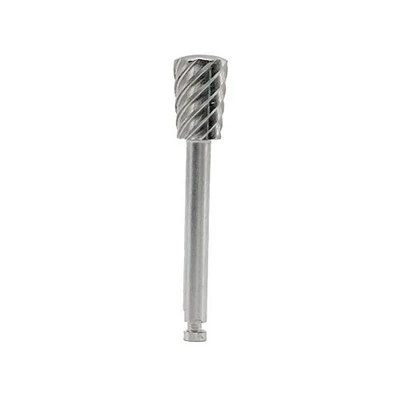
If you’re a dental professional, lab tech, or anyone working with digital implant workflows and want to learn more about our Scanbodies, or how to nail multi-site scanning, get in touch with our team to discuss your needs.
Removable Dentures References
- American Dental Association. (2022). Digital Impressions for Dental Implants: Clinical Guidelines and Best Practices.
- Journal of Prosthetic Dentistry. (2021). Accuracy of Intraoral Scanners for Multiple Adjacent Implant Scanbody Registration.
- International Congress of Oral Implantologists. (2023). Update on Digital Workflows for Implant Restorations.
Dongguan Denreal Devices Co., Ltd.
As one of the most professional scanbody manufacturers and suppliers in China, we’re featured by quality products and low price. Please rest assured to buy bulk customized scanbody made in China here from our factory. For free sample, contact us now.
Address: NO.622, Baoshi Road, Qishi town, Dongguan, Guangdong, China
E-mail: Chason.Yeh@Gmail.com
WebSite: https://www.denreal.com/
