Alright, let’s cut right to the chase—if you’re here, you’re probably staring at an all-in-one PC (AIO) on your desk or scrolling through our catalog, wondering one specific thing: does this thing even have Bluetooth? And hey, as an AIO supplier, I hear this question like 10 times a day from folks setting up workstations, home offices, or even streaming setups. It’s such a common pain point, too—no one wants to fumble around with tangled mouse and keyboard wires, or remember to grab a random USB dongle for their wireless headphones. Let’s break this down like we’re chatting over a coffee, no jargon, no fancy stuff. All in One PC
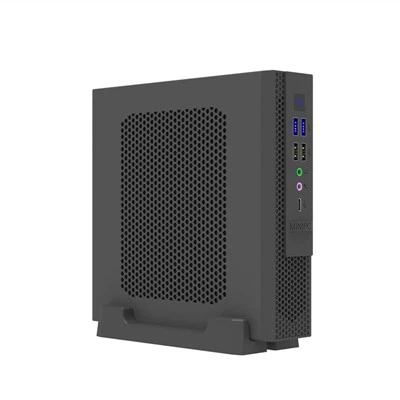
First off, let’s get one thing straight: most modern AIO PCs do support Bluetooth. Wait, “most” is a big word, right? Let’s clarify. When we build our AIOs, we don’t skimp on core connectivity these days. For any model made in the last, say, 5 years, Bluetooth is basically a standard feature, not some fancy add-on. Think about it—AIOs are designed to be all-in-one, so they need to play nice with all your wireless gear. Your wireless mouse? Wireless keyboard? Bluetooth speaker for Zoom calls? Wireless earbuds for listening to work podcasts? All of that pairs directly with the AIO, no extra dongle needed.
But hold on—before you go plugging in your headphones, let’s talk about how this actually works, because I know some of you are tech-curious (and the rest of you can skip to the next part, but trust me, this is useful). AIOs aren’t just a monitor with a computer inside, even though that’s what they look like. The main motherboard is tucked behind the display, right? That motherboard has a built-in wireless card, usually something from Intel or Realtek these days, and that card handles both Wi-Fi and Bluetooth. Sometimes they’re separate chips, but more often than not, they’re combined into a single M.2 adapter slot thing, which saves space—super important for AIOs, since we don’t want a clunky tower taking up your desk.
Wait, so why would an AIO NOT have Bluetooth? Let’s be real, it’s not impossible, it’s just rare. Older AIOs—like the ones from 10+ years ago, pre-2013 or so—often skipped Bluetooth to cut costs back then. They relied on Wi-Fi and wired peripherals, which was the norm. But even a lot of mid-range AIOs from 2015 still had it, so unless you’ve got a super ancient model, you’re probably good. The other exception? Maybe some ultra-budget AIOs that are made for basic tasks like web browsing and email only. But even then, that’s super uncommon now—we haven’t built a budget AIO without Bluetooth in at least 4 years, because our customers kept asking for it.
Let’s test this, though. If you’re staring at your AIO right now and wondering if it has Bluetooth, how do you check without digging through the settings? Super simple. On Windows: click the Start button, type “Bluetooth” in the search bar, and you should see “Bluetooth and other devices settings” pop up. If you click that, and there’s a toggle switch for Bluetooth at the top, then boom—you’ve got it. If not, no sweat, it doesn’t mean it’s broken, it just means it’s not enabled yet (sometimes AIOs ship with Bluetooth turned off by default to save battery? Wait, no—wait, AIOs don’t have a battery that way, but sometimes manufacturers disable it to cut costs or because the specific model doesn’t have the hardware, but that’s rare). On Mac? Wait, a lot of AIOs are Mac-based too, right? If it’s an iMac (which is Apple’s AIO), you can click the Apple logo in the top left, go to “About This Mac,” then “System Report,” and under “Bluetooth,” it’ll say if the hardware is there. If it’s a Windows AIO and you don’t see the toggle, don’t panic—go to Device Manager, look for “Bluetooth” in the list of devices. If it’s missing, that means no hardware, if it’s there, it’s just disabled.
Now, let’s talk about what Bluetooth on an AIO actually lets you do, because that’s the fun part. I know when I’m setting up my own AIO at home, I pair my Logitech MX Master mouse, my mechanical keyboard, and my Sony WH-1000XM5 headphones all at the same time, no wires tangled around my desk. It’s a game-changer. You can also pair Bluetooth speakers for movie nights, or even a Bluetooth webcam if you’re doing a lot of Zoom calls (wait, some webcams are Bluetooth now, yeah). One thing to note, though—don’t overload it. Bluetooth can only handle so many devices at once, usually up to 7, but realistically, most AIOs will smoothly handle 3-4 peripherals without lag. I’ve had customers tell me they tried pairing 5 devices at once and it started stuttering, so keep that in mind. If you need more, you can always grab a cheap USB Bluetooth adapter, but why bother if you don’t have to?
Wait, let’s address a common myth I hear all the time: “My AIO has Wi-Fi but no Bluetooth, right?” No, that’s not really how it works anymore. Most modern wireless cards (the ones that do both Wi-Fi and Bluetooth) are combo cards, so if you have Wi-Fi, you have Bluetooth. The only time you’d have Wi-Fi without Bluetooth is if someone installed a separate Wi-Fi-only card and skipped the Bluetooth part, which is super rare in brand-new AIOs. It’s more common in custom-built stuff, but for our AIOs, every model with Wi-Fi has Bluetooth, 100%—we test that before we ship, trust me.
Let’s also talk about how we, as a supplier, build our AIOs with Bluetooth in mind. We don’t just throw a random chip in there—we make sure it’s compatible with all the most popular peripherals, so you don’t have to deal with weird pairing issues. We test with mice, keyboards, headphones, speakers, even game controllers (if you want to play casual Steam games on your AIO, you can pair an Xbox or PlayStation controller without a dongle). We also make sure the Bluetooth range is good—usually 30 feet or more, so you can walk around your living room while on a call, or keep your speaker on the other side of the desk.
Wait, what if you buy an AIO and get it home, and Bluetooth isn’t working? Let’s troubleshoot real quick, since that’s a common follow-up question. First, check if it’s enabled in settings—like I said earlier, sometimes it’s turned off. If that’s not it, try updating the drivers. The Bluetooth chip needs the latest drivers to work right, just like any other part of the computer. You can get them from the manufacturer’s website—our team has a dedicated support page for drivers, super easy to download. If that still doesn’t work, it might be a hardware issue, but that’s rare, and our warranty covers that, so just reach out and we’ll get it fixed.
Now, let’s circle back to the original question: does an all-in-one PC support Bluetooth? The short answer, especially for a brand-new AIO (which is what most of our customers are buying), is absolutely yes. We’ve been making AIOs with Bluetooth as standard since 2019, and before that, we had it in most mid and high-end models even earlier. The only time you won’t get it is if you’re buying a super old used AIO, or a really cheap no-name model that’s meant for basic use only.
But here’s the thing—we don’t just build AIOs that have Bluetooth. We build them with Bluetooth that works well. No lag, no dropping connections, no weird pairing errors. Because we know that’s a big selling point for people who want a clean desk, no wires, and all their gear working together seamlessly.
If you’re in the market for a new AIO, and Bluetooth is on your must-have list (and let’s be real, it should be), you can rest easy that all our models include it. We don’t cut corners on core connectivity that matters to you.

Now, if you’re ready to chat about picking the right AIO for your home office, small business, or even a set for your team, we’re here to help. Whether you need a basic model for browsing and Zoom, or a high-end one for video editing and streaming, we’ve got you covered, and we’ll make sure all the connectivity (including Bluetooth) works exactly how you need it. Don’t hesitate to reach out to our team to start the conversation about procurement—we’re happy to answer any other questions you have, no pressure, just real advice from people who build these things every day.
Mini PC References:
- Intel Wireless Bluetooth 6 Specification Overview
- Realtek Combo Wireless Card Compatibility Guide for Desktop PCs
- Consumer Electronics Association 2023 Report on All-in-One PC Connectivity Features
Shenzhen HJS Technology Group
Shenzhen HJS Technology Group is one of the most experienced all in one pc manufacturers and suppliers in China, featured by quality products and good service. Please rest assured to buy CE approved all in one pc made in China here from our factory. For price consultation, contact us.
Address: F10, Wanhe Technology Building C, No. 7 HuiTong Road, Fenghuang Street, Guangming New District, Shenzhen. China.
E-mail: info@hjs-pc.com
WebSite: https://www.hjs-pc.com/
